Beast-logger is a logging kit built for LLM systems, providing reliable high-resolution token-level LLM activity that is unprecedented in any other projects.
Here is how to use beast-logger in AgentJet.
Usage in AgentJet
-
Start training or debugging with AgentJet launcher.
-
Wait until the first batch is completed.
-
Locate log files. By default, they will be placed at
saved_experiments/${experiment_name}. For example:saved_experiments/benchmark_frozenlake_20251223_2305 -
Run
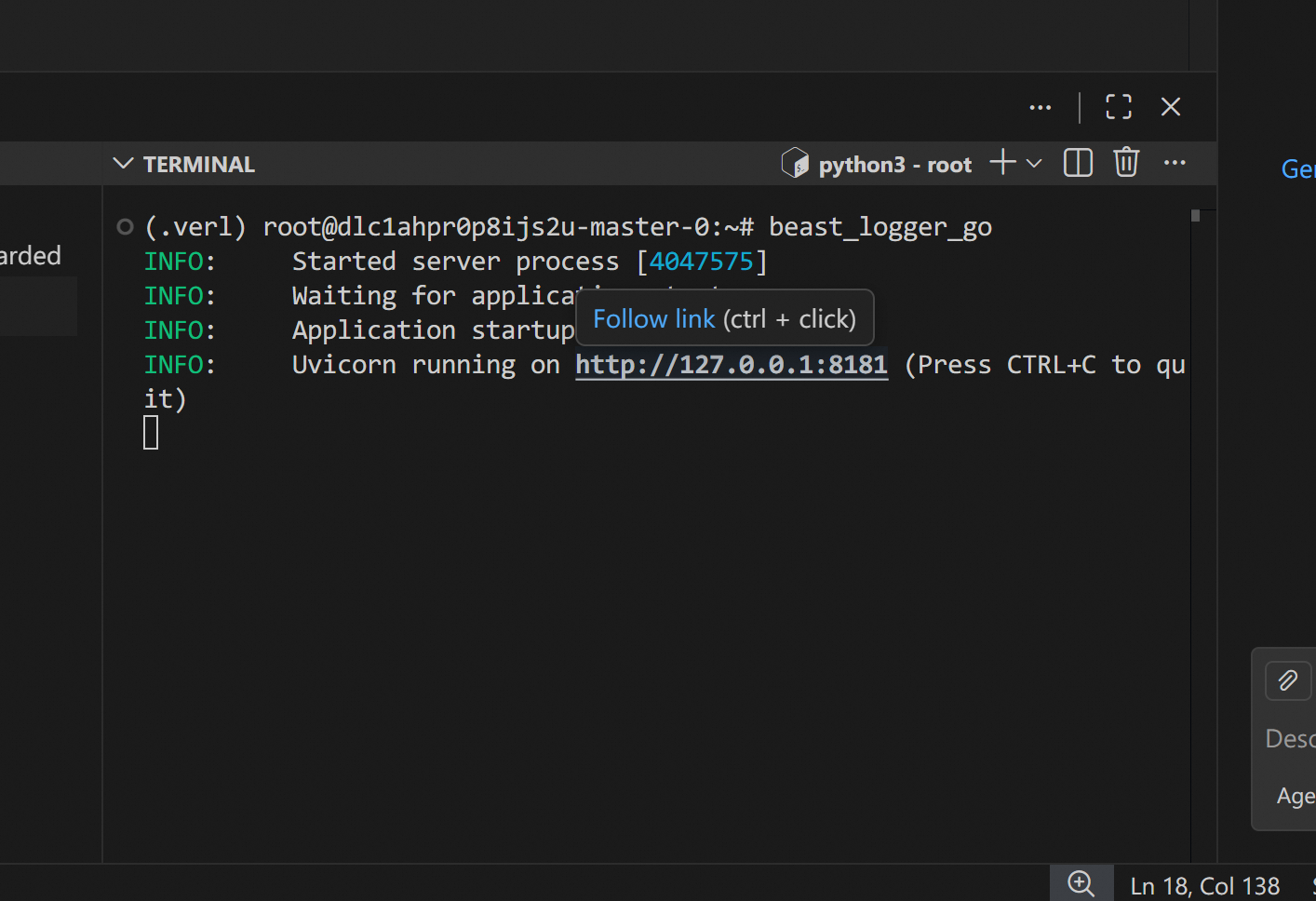
beast_logger_gocommand in the VSCode terminal (or any other software with port-forwarding ability) to start the web log-viewer. Clickhttp://127.0.0.1:8181to open it (VSCode will automatically forward this port from server -> your local computer)
-
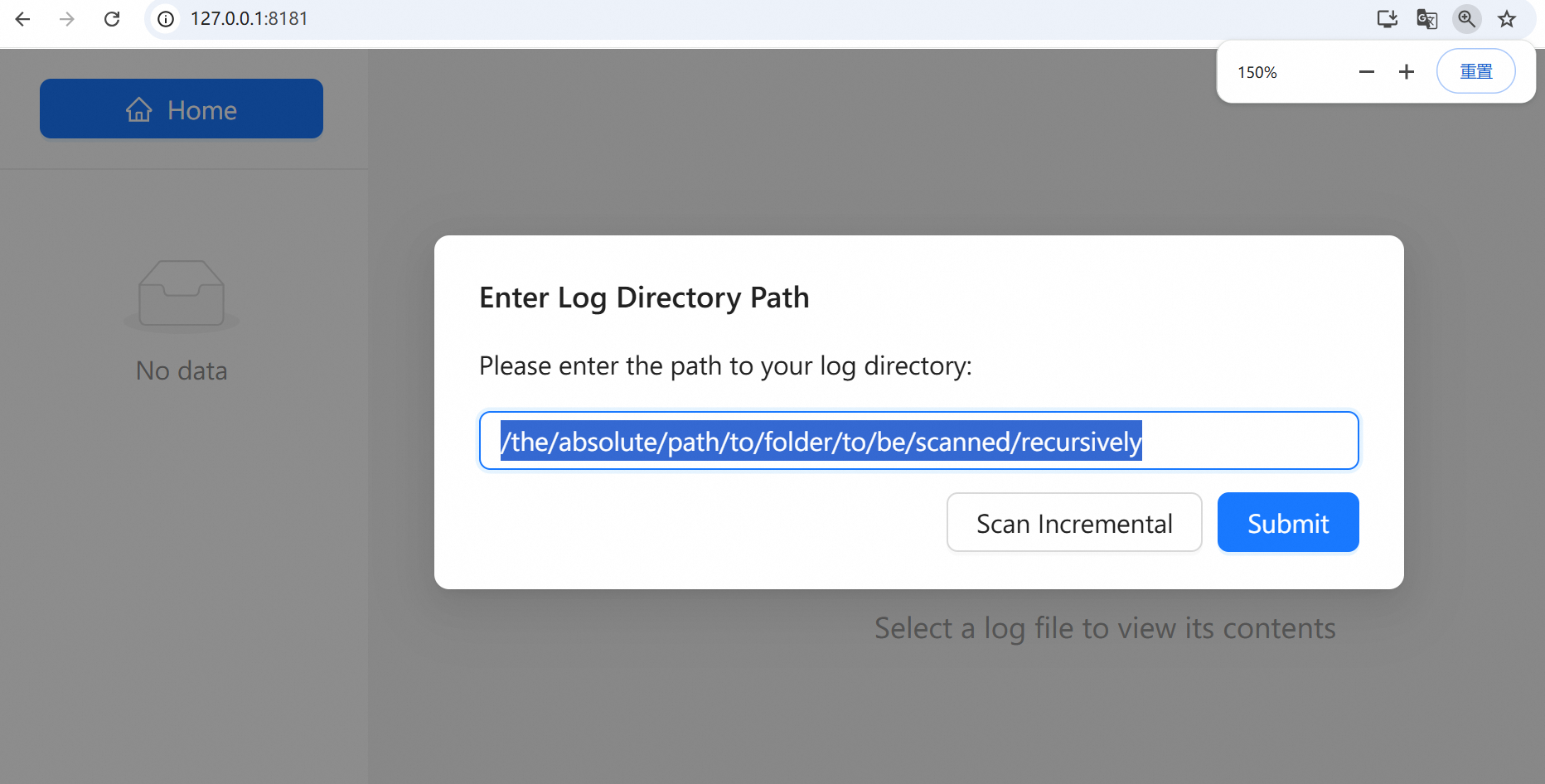
Fill the ABSOLUTE path of the log files and click
submit.Hint: absolute path is recommended.
However, you can also use relative path, if
beast_logger_gocommand is launched at same working dir.Warning: Beast-logger recursively scans this path,
thus, where possible, selects the innermost directory containing the fewest files to read logs faster.
-
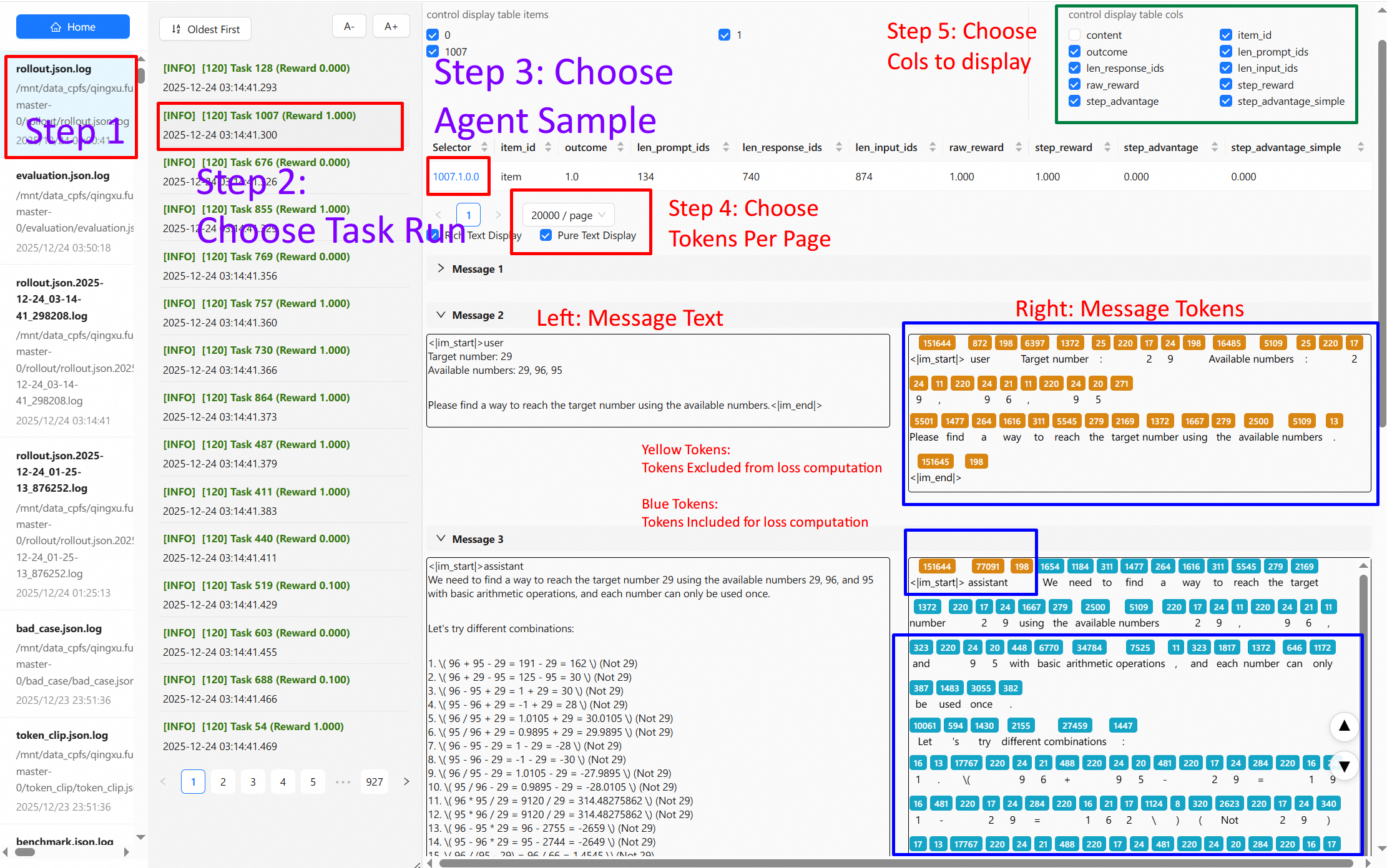
Choose entry to display
-
Yellow tokens: tokens that are excluded from loss computation.
- Blue tokens: tokens that participant loss computation.
- Hovor your mouse on one of the tokens: show the logprob value of that token.